
Many small businesses operate without a dedicated compliance department, HR manager, payroll specialist, or legal team. The business owner is often handling payroll, contractor payments, bookkeeping, customer service, taxes, scheduling, and operations all at the same time. In that environment, important compliance deadlines can easily be overlooked.
Missing a contractor filing deadline, failing to collect a W-9 form, overlooking payroll tax obligations, or forgetting to renew a business license can create unnecessary problems and potentially expose the business to IRS penalties, state filing issues, worker disputes, or audit risk.
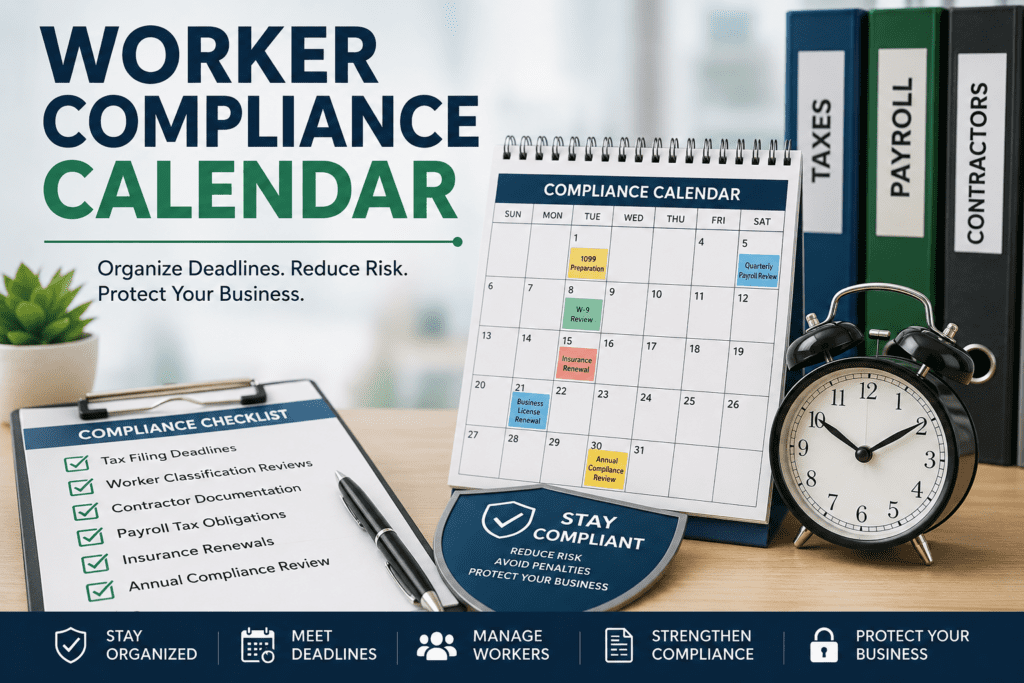
The RetireCoast Worker Compliance Calendar was created to help organize these responsibilities into one structured system. Instead of trying to remember every filing date or renewal period, business owners can build an annual compliance schedule that tracks important worker-related obligations throughout the year.
This calendar is part of the larger Worker Compliance Dashboard included in the RetireCoast Business Membership. The system was designed specifically for real-world small business operations where owners need practical organization tools rather than overly complicated enterprise software.
Whether you operate an LLC, real estate business, short-term rental operation, service business, consulting company, or family business, maintaining organized compliance procedures can help reduce risk while improving your ability to document responsible business practices.
The Worker Compliance Calendar is designed to help business owners organize and monitor important compliance deadlines related to payroll, contractors, tax reporting, insurance renewals, worker documentation, and annual business obligations.
This tool is particularly helpful for small businesses, LLCs, real estate operations, short-term rental businesses, independent contractors managing teams, and growing companies that want to build a more organized compliance process.
- Enter the name of the compliance task or reminder.
- Select the most appropriate category.
- Choose the due date for the task.
- Assign a priority level.
- Add notes, filing details, instructions, or supporting information.
Add recurring events throughout the year such as:
- 1099 preparation and filing deadlines
- Quarterly payroll tax reviews
- W-9 collection deadlines
- Contractor agreement renewals
- Workers compensation audits
- Insurance renewal dates
- State licensing deadlines
- Annual compliance reviews
- Business entity filing reminders
The tool uses priority levels to help you identify which items require the most attention:
IRS filings, tax deadlines, payroll deposits, audit responses, and critical compliance tasks.
Periodic reviews, agreement renewals, insurance evaluations, and quarterly audits.
General reminders, documentation reviews, and standard annual housekeeping tasks.
Use the built-in export and print features to:
- Create a hard-copy compliance checklist
- Share deadlines with accountants or managers
- Maintain compliance documentation records
- Prepare for annual business reviews
- Coordinate contractor and payroll systems
Missing filing deadlines, failing to obtain W-9 information, misclassifying workers, or failing to maintain documentation can expose a business to IRS penalties, payroll tax issues, and audit risk. This tool is designed to help organize your compliance process, but it should be used together with professional accounting, payroll, tax, and legal guidance where appropriate.
The Compliance Calendar is only one part of the larger Worker Compliance System included with your Business Membership. For stronger protection and organization, combine this tool with the Employee vs Contractor Classification System, Contractor Agreement Generator, W-9 Compliance Tracker, Worker Risk Audit Score tool, IRS Audit Defense Packet Generator, and Multi-Worker Dashboard.
• Prepare and issue Forms 1099-NEC
• Verify contractor records and W-9 forms
Quarterly
• Review worker classifications
• Review payroll tax filings
• Reconcile contractor payments
Mid-Year
• Review business insurance coverage
• Confirm contractor agreements remain current
Year-End
• Audit worker documentation files
• Review compliance procedures
• Evaluate payroll vs contractor classifications
| Date | Event | Category | Priority | Notes | Action |
|---|
You have now identified your worker compliance risk — the next step is taking action. This audit is most effective when used alongside the full Worker Compliance system inside your Business Membership.
Depending on your results, you may need to confirm classification, create or update agreements, track payments properly, or improve your worker documentation. The Worker Compliance Dashboard gives you access to the tools designed to help address each of these areas.
Reducing worker compliance risk is an important step, but it is only one layer of protection. Consider strengthening your overall strategy by adding the Estate Planning Membership, designed to help protect both your business assets and personal wealth from legal, financial, and unexpected risks.