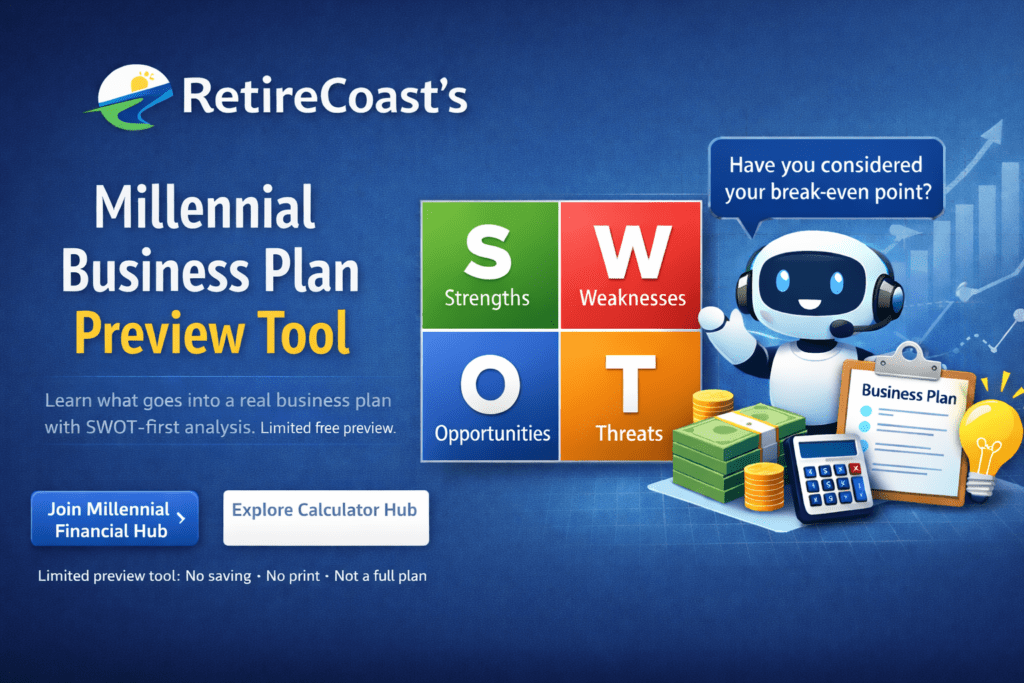
RetireCoast Millennial Business Plan Preview Tool banner featuring a SWOT analysis grid, a business planning assistant graphic, and visuals representing strategy, costs, and early-stage planning in a limited free preview.

This free Millennial Business Plan Preview Tool is designed to help you slow down and understand what actually goes into a real business plan before you invest significant time or money.

This is not a shortcut and it is not a finished plan.

Instead, this preview walks you through:

  • SWOT analysis to pressure-test your idea
  • A few basic setup questions that influence feasibility
  • A look at the kinds of decisions you’ll eventually need to make

The goal is clarity, not completion.

You’ll quickly see where your idea is strong, where it needs work, and what information you’ll need to move forward responsibly.

This preview is intentionally limited:

  • You cannot save your work
  • You cannot print or export a plan
  • Several advanced sections are locked

Those features are available inside the Millennial Financial Hub, where the full Business Plan Builder and decision guidance tools live.

For now, use this page to learn, reflect, and decide whether you’re ready for the next step.

Millennial Business Plan Preview Tool
This is a free preview to show what goes into a real business plan. It is intentionally limited and not designed to produce a complete, usable plan.
Preview progress: 0% (max 40%)
Free Preview • No saving • No print • Not a complete plan
Want the full Business Plan Builder & Decision Engine with saving, decision prompts, and printable plan output?
Educational preview only. Not legal, tax, or financial advice.
Step 1: SWOT (the honesty check)
SWOT means Strengths, Weaknesses, Opportunities, and Threats. Many organizations use this exercise before approving a new project. Keep entries short and specific.
Step 2: Basics (quick setup)
This collects only a few inputs. Full members unlock deeper prompts and decision guidance.
Member-only sections (locked in preview)
These sections are intentionally disabled in the free preview. Members unlock full planning, saving, decision prompts, and a printable plan snapshot.
Business Model (Locked)
Revenue model, scalability logic, target customer, sales approach, and validation prompts.
Costs & Runway (Locked)
Pricing, margin logic, burn rate, runway analysis, and break-even guidance.
Risk & Structure (Locked)
Risk awareness prompts, structure considerations, and compliance research checklist.
Printable Plan Snapshot + Save Drafts (Locked)
Members can save drafts, print plan summaries, and return later to revise.
This preview is not intended to create a complete business plan. It is a sample tool for learning and self-checking only.
Preview helper
Start with SWOT. I’ll show a quick reality check based on the few inputs available in the preview.
Decision Bot (Members Only)
Members unlock guided decision prompts, contradiction checks, and planning recommendations as you build.
No saving in the free preview. If you refresh this page, your entries may be lost.
How to use this tool
Before you begin, we recommend reading our companion article:
Millennials Starting a Business

This page is a free preview. It is designed to show what goes into a real business plan, not to create a finished or usable one. Several sections are intentionally limited or locked.
What each section represents
SWOT: Strengths, Weaknesses, Opportunities, and Threats. This exercise is widely used by businesses of all sizes and is often required before moving forward with a new project. This is where you are honest with yourself. Follow the examples to get started.

Basics: A small set of foundational inputs. In the full version, these are used to produce more accurate guidance and decision prompts.

Business Model (preview): Demonstrates the types of revenue and growth questions every business must answer.

Costs & Runway (preview): Shows why pricing and timing matter, including how long you can operate without income.

Risk & Structure (preview): Highlights the importance of understanding risk and setup considerations. The companion article provides additional context.
Important notes
This free preview does not allow you to:
  • Save drafts
  • Print or export a plan
  • Access decision guidance or advanced sections

You may find it helpful to revisit this page as you think through your idea. Planning is rarely a one-time exercise.
Become a member and unlock this and many other decision helper tools Members unlock saving, printable plans, guided decision prompts, and advanced planning tools.
Educational planning and decision-support only. Not legal, tax, or financial advice.

Need more information about SWOT, check out this site: https://www.uschamber.com/co/start/strategy/swot-analysis-guide